MASS IMAGE COMPRESSOR

Optimize – Resize – Convert – Watermark Images

One Image, Multiple Image, Entire Folder

Download Mass Image Compressor on Mac App Store
Download Windows Version of Mass Image Compressor

Compression with Quality

Original

345 KB

Compressed with Mass Image Compressor

89 KB ( 74% reduction)

Photo Credit: Meena Kadri – https://www.flickr.com/photos/meanestindian/388684934
License: CC BY 2.0

For macOS

Best on macOS

Download Mass Image Compressor on Mac App Store

The most reliable way to Optimize – Resize – Convert – Watermark Images and Videos in bulk

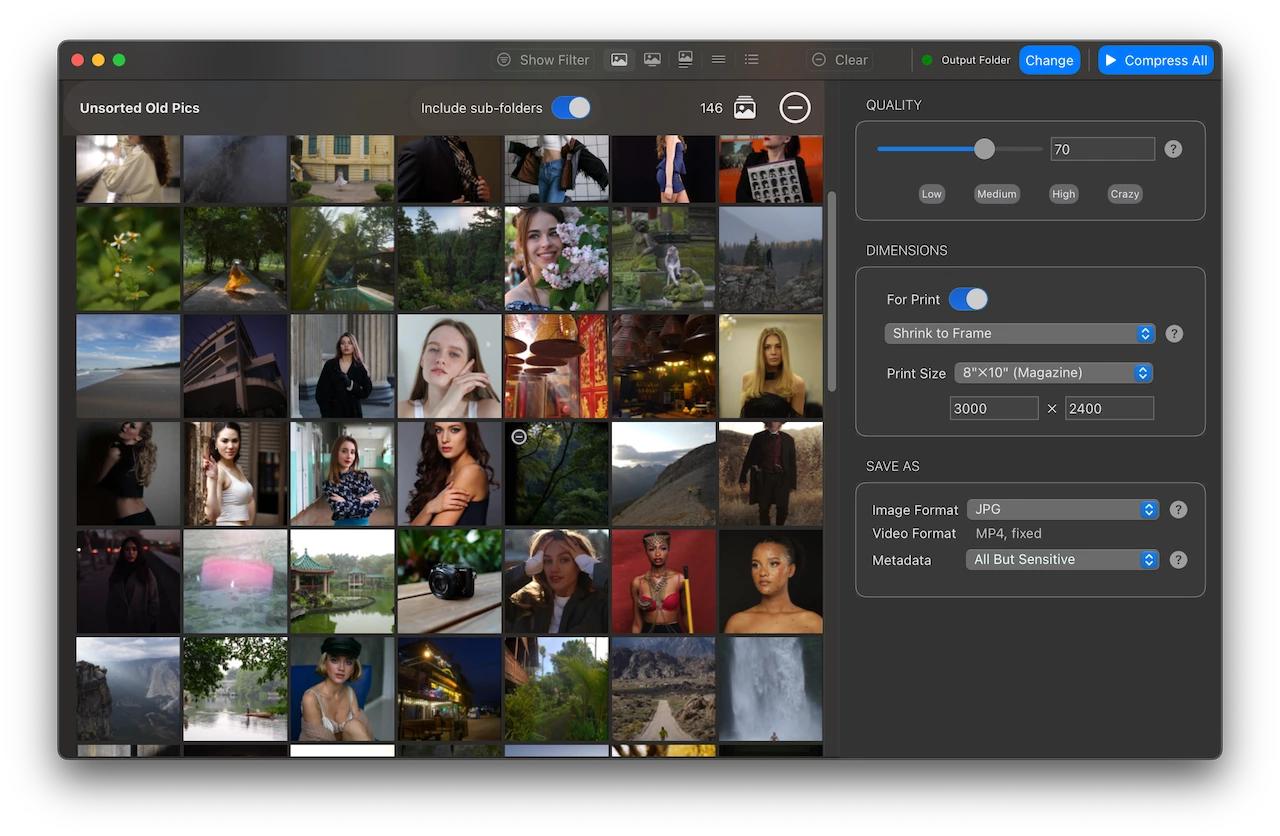
Mac App Features

  • Compress one image or entire folder.
  • Convert, Resize, Optimize, Watermark
  • Video: Resize, Optimize
  • Supported input image formats: jpg/jpeg, jp2, tiff/tif (Tagged Image File Format), gif, png, bmp, heif/heic (High Efficiency Image Format), webp, cr2/cr3 (Canon Camera), nef (Nikon Camera), orf (Olympus Camera), arw (Sony Camera), raf (Fujifilm Camera), rw2 (Panasonic Camera), dng (Digital Negative), psd (Photoshop Document), srw (Samsung Raw), mov, mp4
  • Supported output formats: JPEG, PNG, HEIC, WebP, GIF, TIFF, MP4
  • Supports input and output of animated PNG, GIF, WebP and multi-framed HEIC.
  • Multi-core CPU support and utilizes native macOS libs for exceptional resize/compression/conversion speed and quality
  • Preserves image metadata (EXIF Tags), ability to skip sensitive metadata such as serial numbers and geo locations
  • Apply your custom watermark (image based)
  • Print size based image resize
  • Output file name manipulation (suffix, prefix, replace on file names)
  • File name, file size & modified date based filter to exclude/include files for compression (useful when dragged/dropped entire folder)

For Windows

Mass Image Compressor 4 Gallery View

Award Winning

Windows App

Download Mass Image Compressor 4.0
Download Mass Image CompressorDownload Mass Image Compressor

Mass Image Compressor is proud to have received the ‘Open Source Excellence’ award by SourceForge. This award reflects our commitment to delivering valuable tools. Commercial products exist, but focus remains on accessible, high-quality solutions, prioritizing people over profit.

⭐ Star on GitHub

(Click to give us star on Github)

Windows App Features

  • Compress one image or entire folder.
  • Convert, Resize, Optimize, Watermark
  • Supports input images in all major formats including JPG/JPEG, PNG, WEBP, GIF, TIFF, AVIF, HEIC, JP2, BMP, as well as RAW image formats from leading camera brands like Sony (ARW), Adobe (DNG), Nikon (NEF), Canon (CR2, CR3, CRW), Kodak (DCR, KDC), Minolta (MRW), Olympus (ORF), Fujifilm (RAF), Pentax (PEF), Panasonic (RW2), Samsung (SRW), Epson (ERF), Hasselblad (3FR), and Mamiya (MOS, MEF).
  • Output Format Supported: JPEG, PNG, WebP, AVIF, GIF
  • Supports input and output of animated PNG, GIF, WebP
  • Utilizes multi-core CPU for speed
  • Preserves image metadata (EXIF Tags, XMP and IPTC data), ability to skip sensitive metadata
  • Output file name manipulation (suffix, prefix, replace on file names)
  • File name and file size based filter to exclude/include files for compression

Recent Posts

See more posts…